WORK DESCRIPTION “ChinesePod Podcast” Video Wrap Around with Flashcards Slides
Tab A
Lorem Ipsum is simply dummy text of the printing and typesetting industry. Lorem Ipsum has been the industry's standard dummy text ever since the 1500s, when an unknown printer took a galley of type and scrambled it to make a type specimen book.
Outline of Work:
Create Flashcard slides for the ChinesePod Podcast:
Newbie (15-25 slides): Identify ALL Chinese words said in the lesson.
Elementary (15-25 slides): Identify sentences in the dialogue, vocabulary, and example sentences in the lesson.
Pre-Intermediate and Intermediate level (20-30 slides): Identify sentences in the dialogue, vocabulary, and example sentences in the lesson.
Upper-intermediate and Advanced level (25-35 slides): Identify sentences in the dialogue, vocabulary, and example sentences in the lesson.
For each slide we need 2 variations each (simplified/traditional).
Create a Video Wraparound for the ChinesePod Podcast:
Intro: ChinesePod main Intro video file
Content: Start with the Podcast Thumbnail Design in the opening; Follow it with the Flashcard slides created timed with the podcast lesson audio file; Stock photo background to match the discussion
Ads: Ads Placeholder to match the Ad content
Ticker Ad: Running banner ad at the lower part of the video.
Outro: “Join ChinesePod Now” Outro video file
Process:
- Go to www.chinesepod.com or https://soundcloud.com/chinesepod to listen to the PODCAST recording of the given lesson. (Please coordinate with the project manager for access to the downloadable Podcast audio file)
- Identify the vocabulary and sentences from the Podcast audio file and identify the timestamp for flashcard placement. Vocabulary and dialogue can also be found in the website’s lesson page.
- Pick images that relate to the words from Adobe Stock
- Create slides with superimposed text in both simplified and traditional format, and then store it with correct file names
- From the created flashcards, produce a wraparound video for the podcast lesson. Store it with correct file name. Upload to a YouTube account (UNLISTED). Provide link for review.
- Once approved, provide all project files.
* The background images should be chosen from Adobe Stock. Pls. provide the Adobe Stock images links so that we’ll purchase the licensed images and/or connect you with the team account.
Specifications:
Intro and Outro:
Add the ChinesePod Generic Intro and Outro at the beginning and end of the lesson file, respectively.
Intro - https://youtu.be/W-xQa11u1pw
Outro - https://youtu.be/21IuHVetwSs
some-file-name.zip
Content:
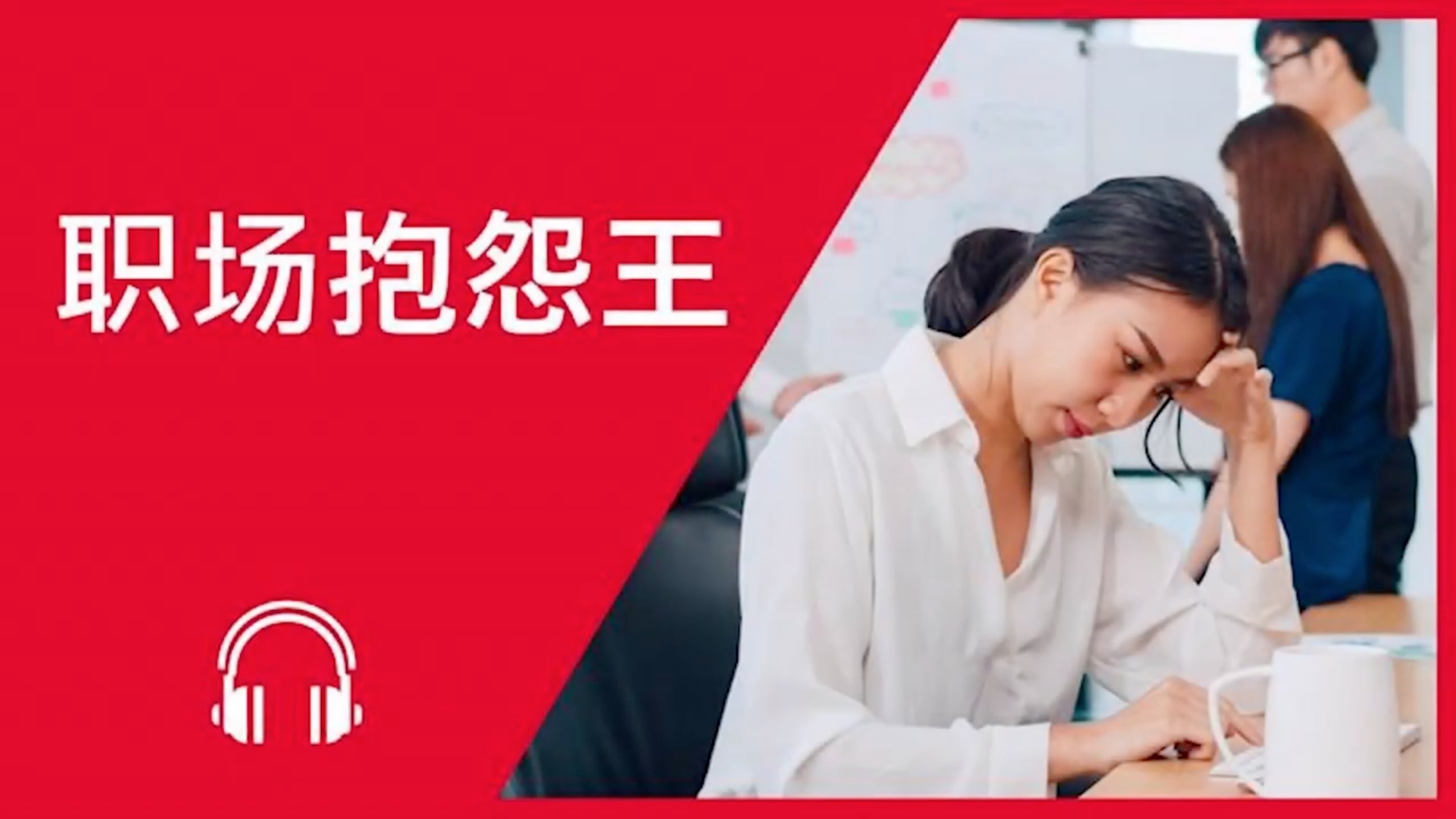
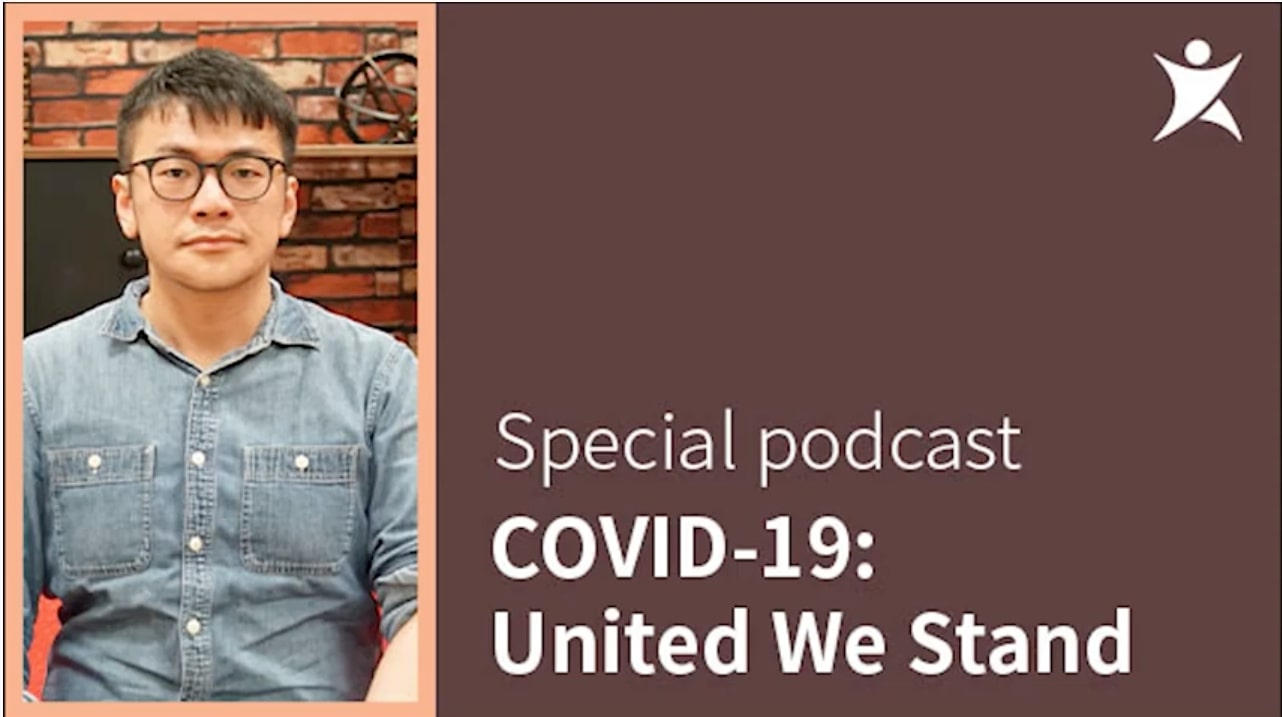
The lesson page (the first slide) should have lesson name. You may use the same format/design as the lesson thumbnail. You may check the existing thumbnails available with the corresponding level color code on the chinespod.com lesson page. If no updated thumbnail is available, create one using similar format.
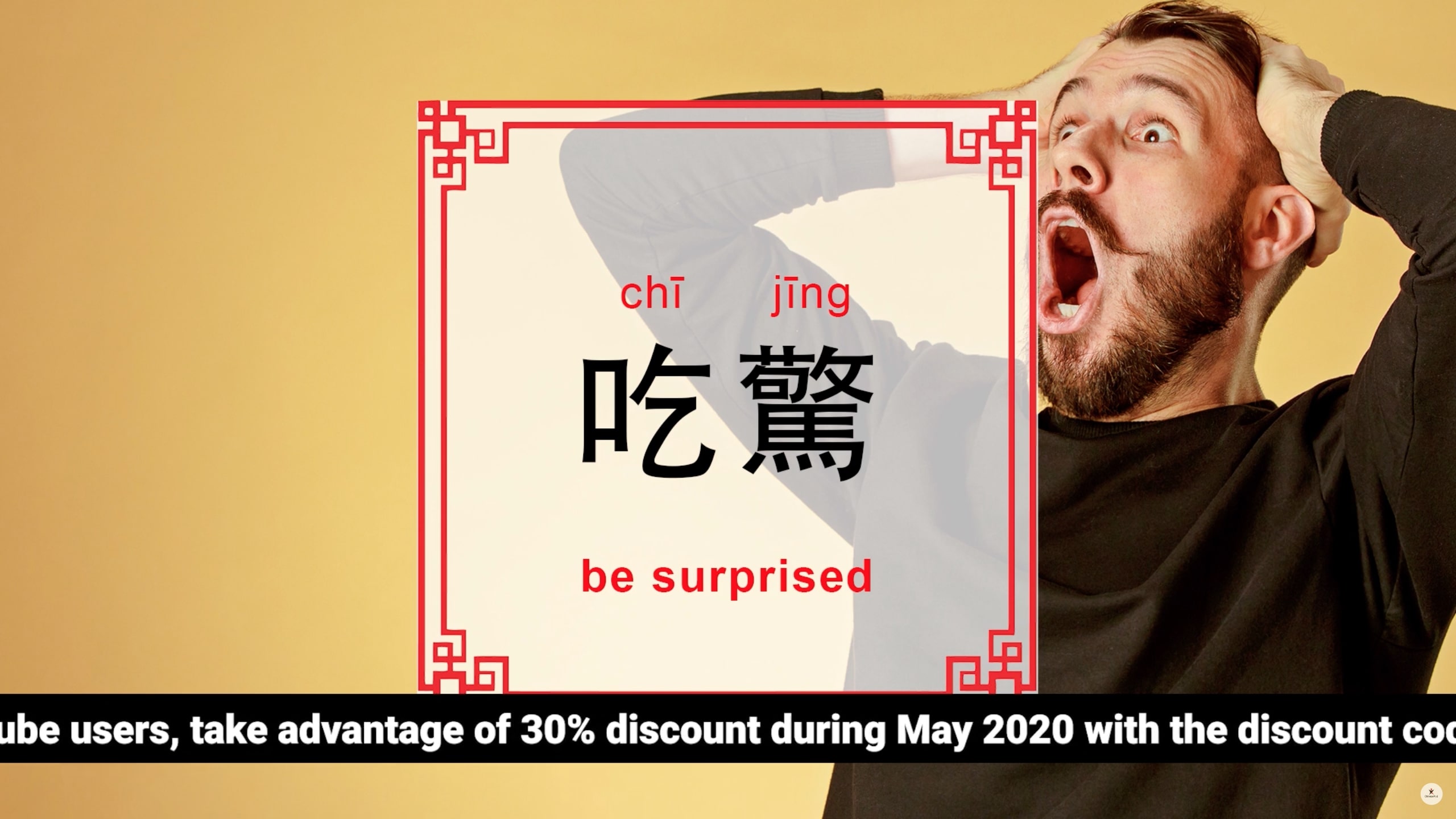
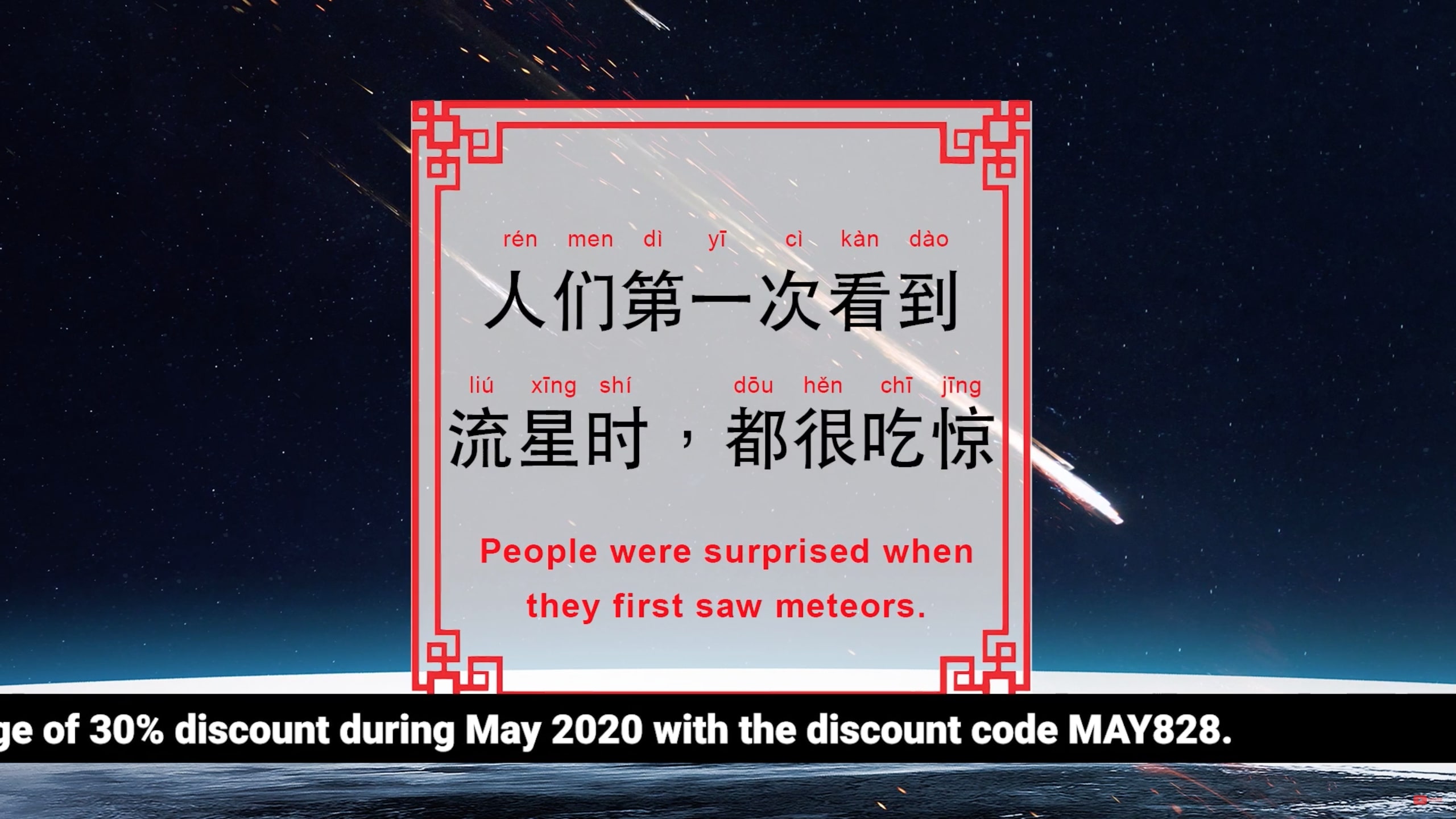
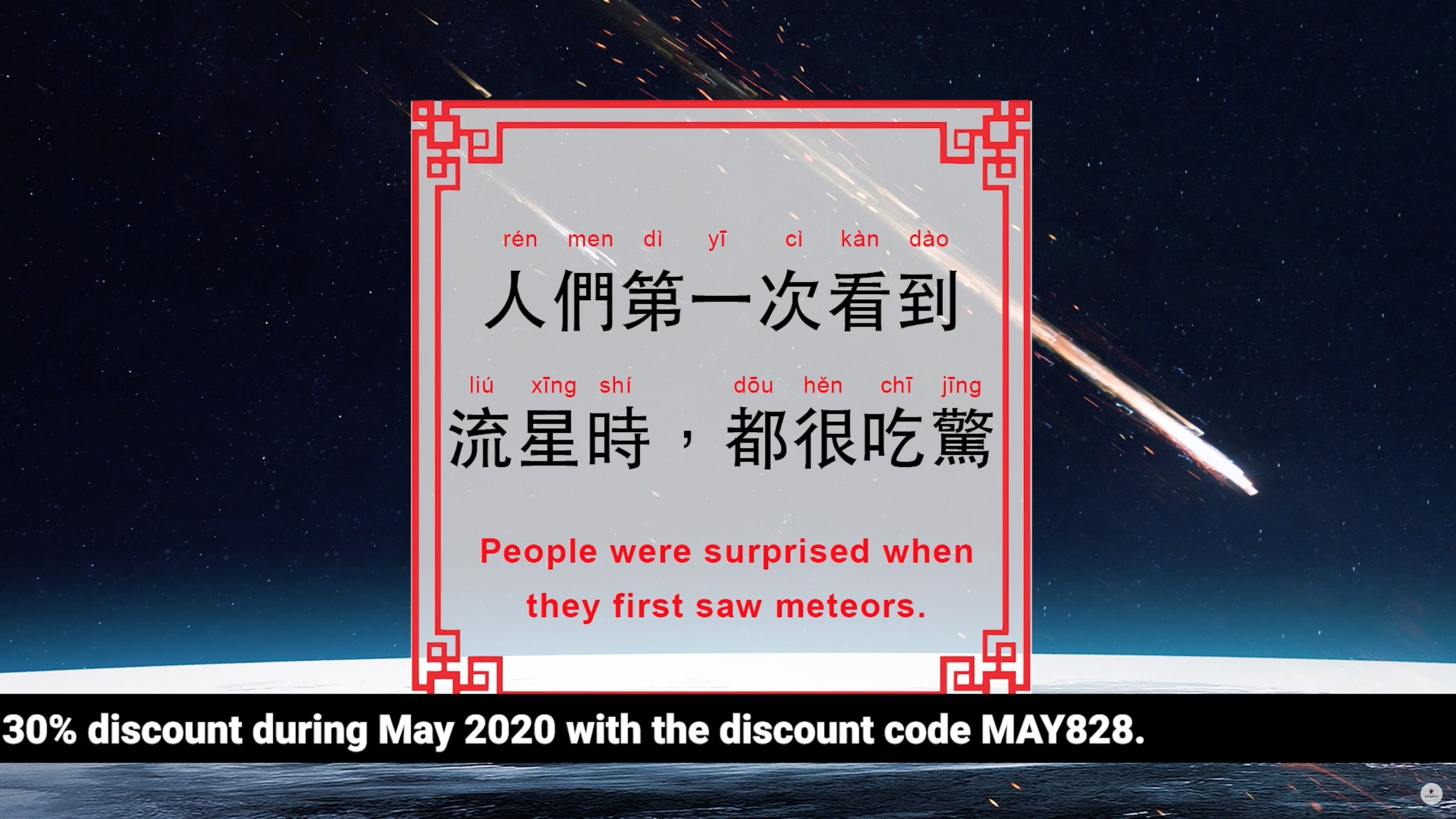
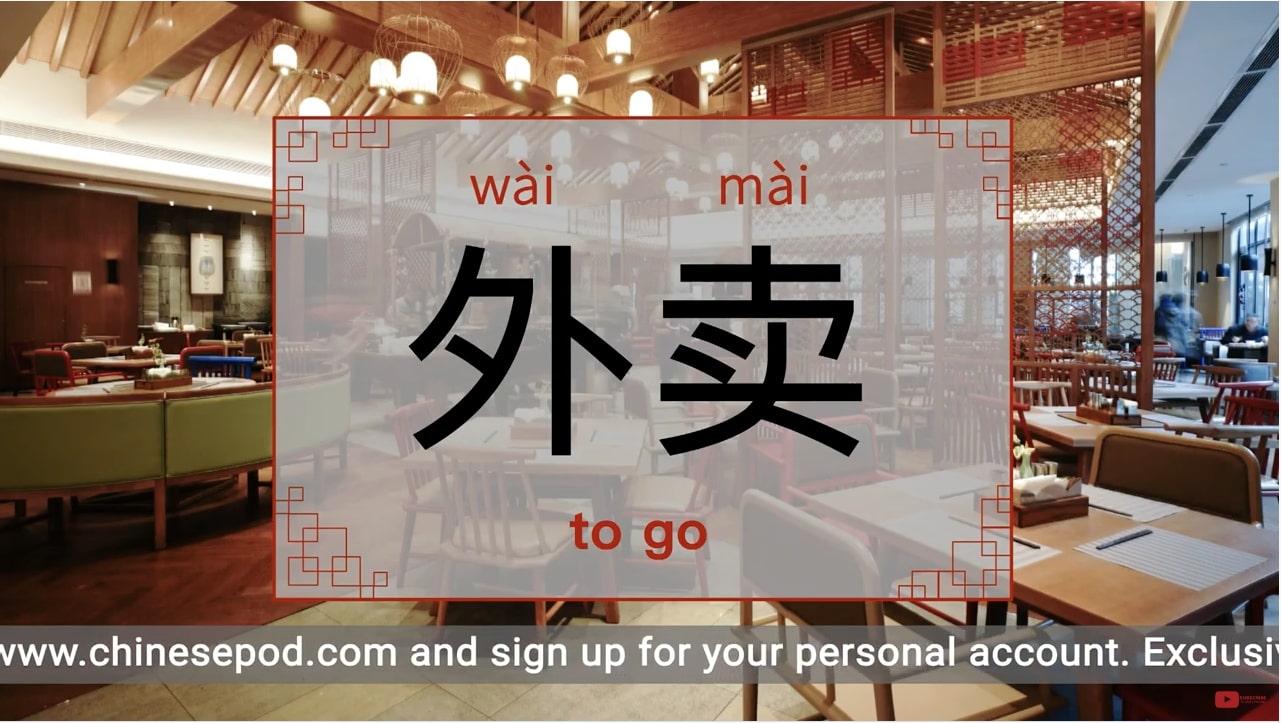
On the flashcards the text will be in Pinyin, Chinese Characters Simplified or Traditional and English translation IN THIS ORDER. Also note no capital letters for Pinyin and the English translation except for sentences. Use semicolon (;) to separate the English translation. The Pinyin text should have no punctuation. Ensure the Pinyin is lined up with the Chinese characters. Do not use a period (。) in the Chinese characters sentences. The only punctuation that should be used with the Chinese characters are comma (,) and question mark (?).
Example:
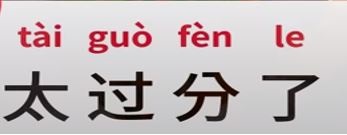
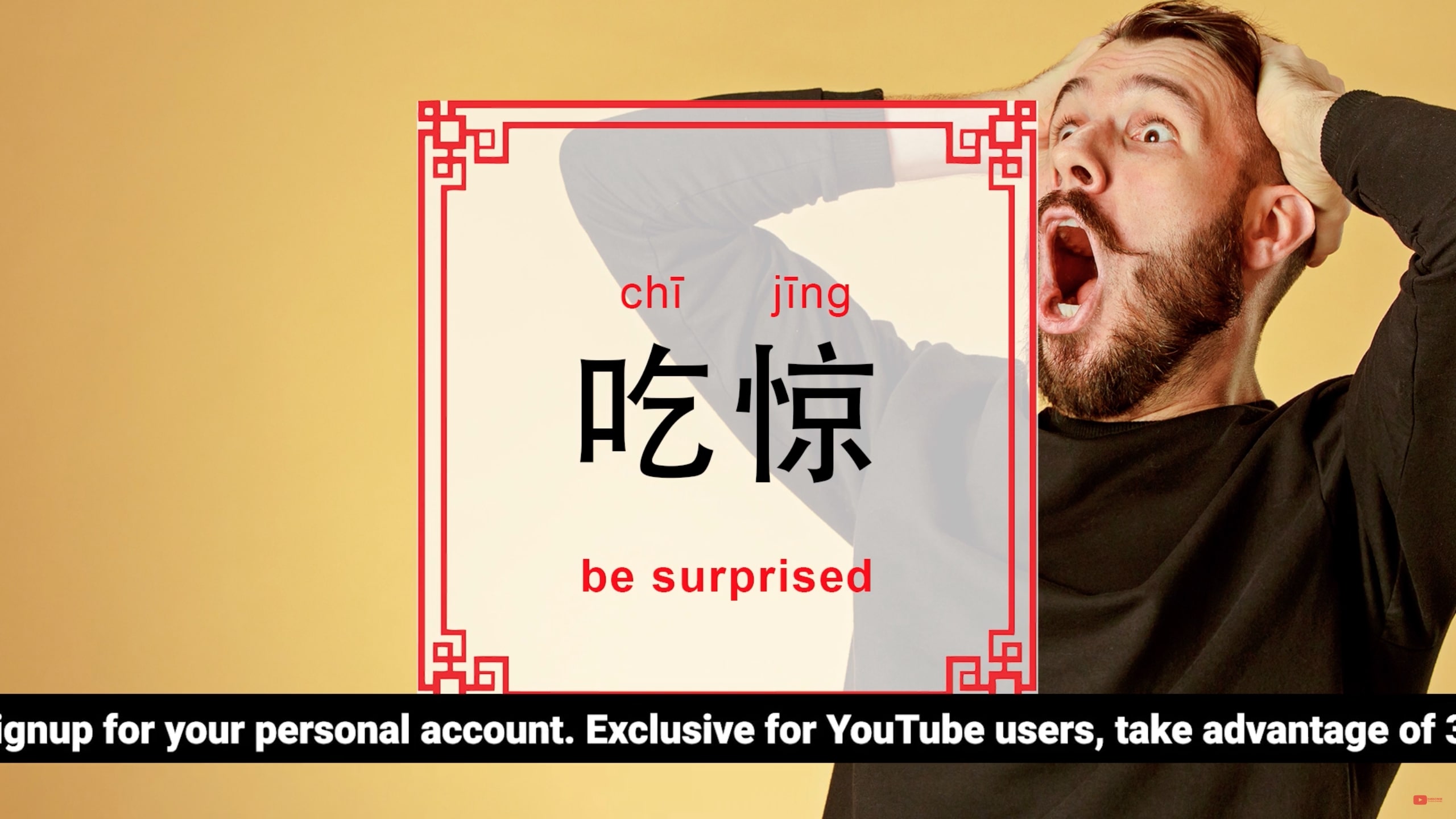
Pinyin, Chinese Characters Simplified or Traditional and English translation should be located in the center of the flashcard. Please be consistent with the font size, ensuring the Chinese characters are larger than the Pinyin and English translation.
The flashcard should not cover the image and the positioning should be consistent throughout the podcast.
All slides need to be developed with
(a) simplified and
(b) traditional Chinese characters,
and each in LANDSCAPE orientation (1920 x 1080)
Ads:
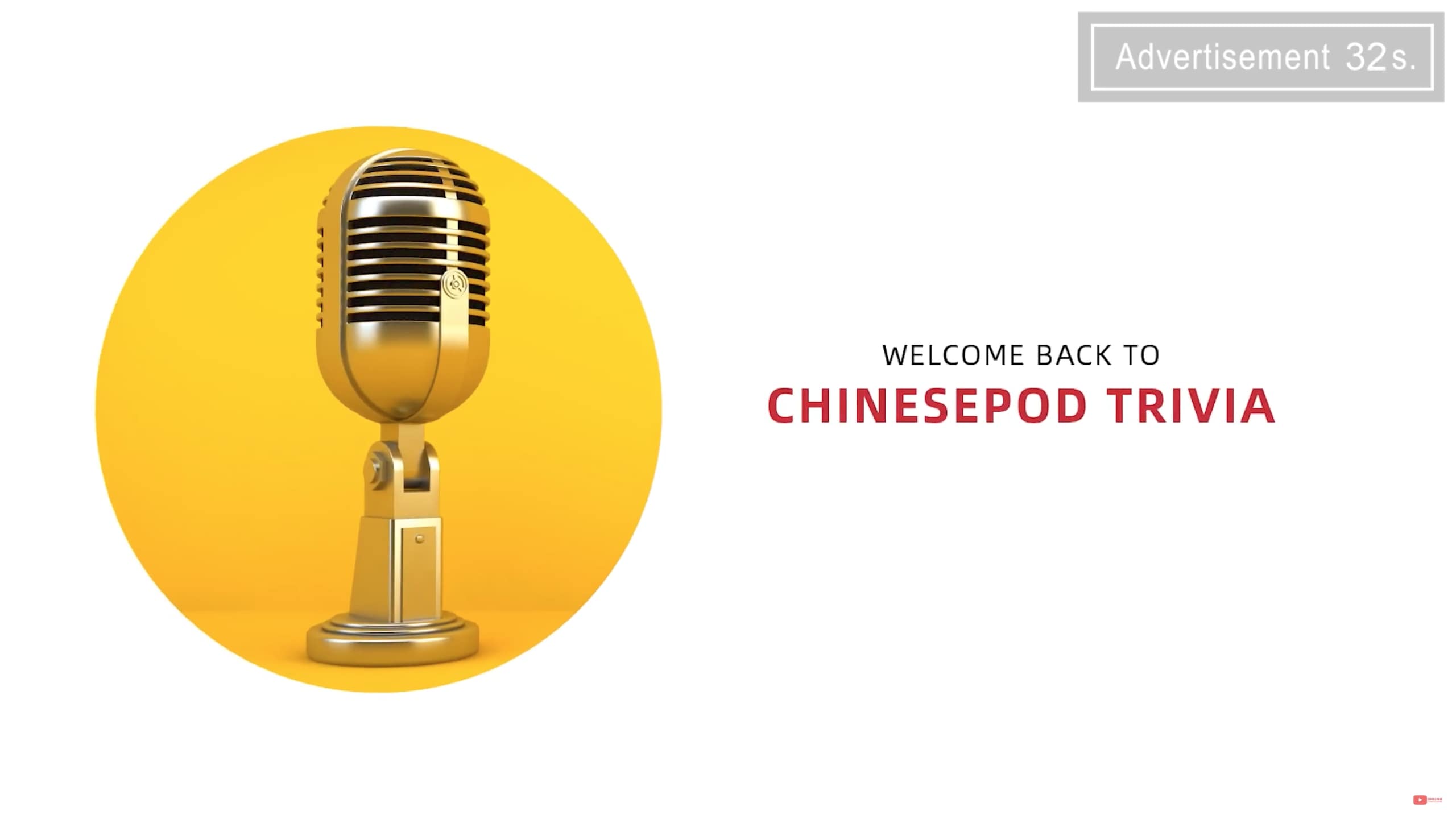
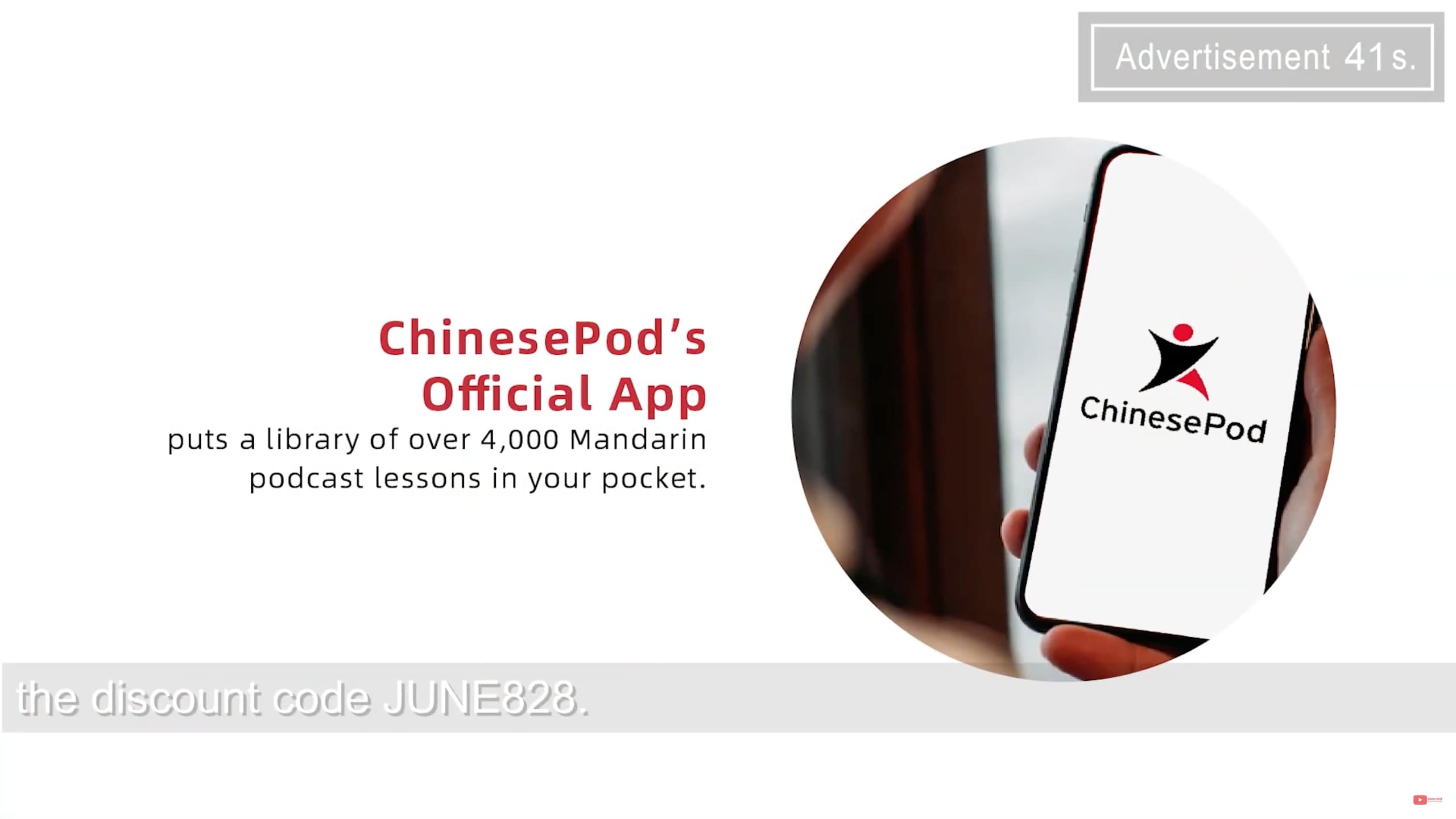
On section(s) of the podcast where Ads are played, create placeholder slide(s) that matches the Ad content.
Ticker Ad:
Add a ticker or a running banner at the bottom part of the video - white text on an opaque black background – looped until the end of the lesson flashcards. The text should read:
Please see all the additional materials like vocabulary, tests, quizzes and worksheets on our website. For this lesson, go to www.chinesepod.com/(*lesson number).
*Provide the specific lesson number in the url for the corresponding lesson video– e.g. www.chinesepod.com/4312
End Slide:
Before the Outro video, add in another slide with similar text as the ticker that has the lesson number url. This is to match the outro audio in the podcast where the specific lesson url was mentioned.
Outro:
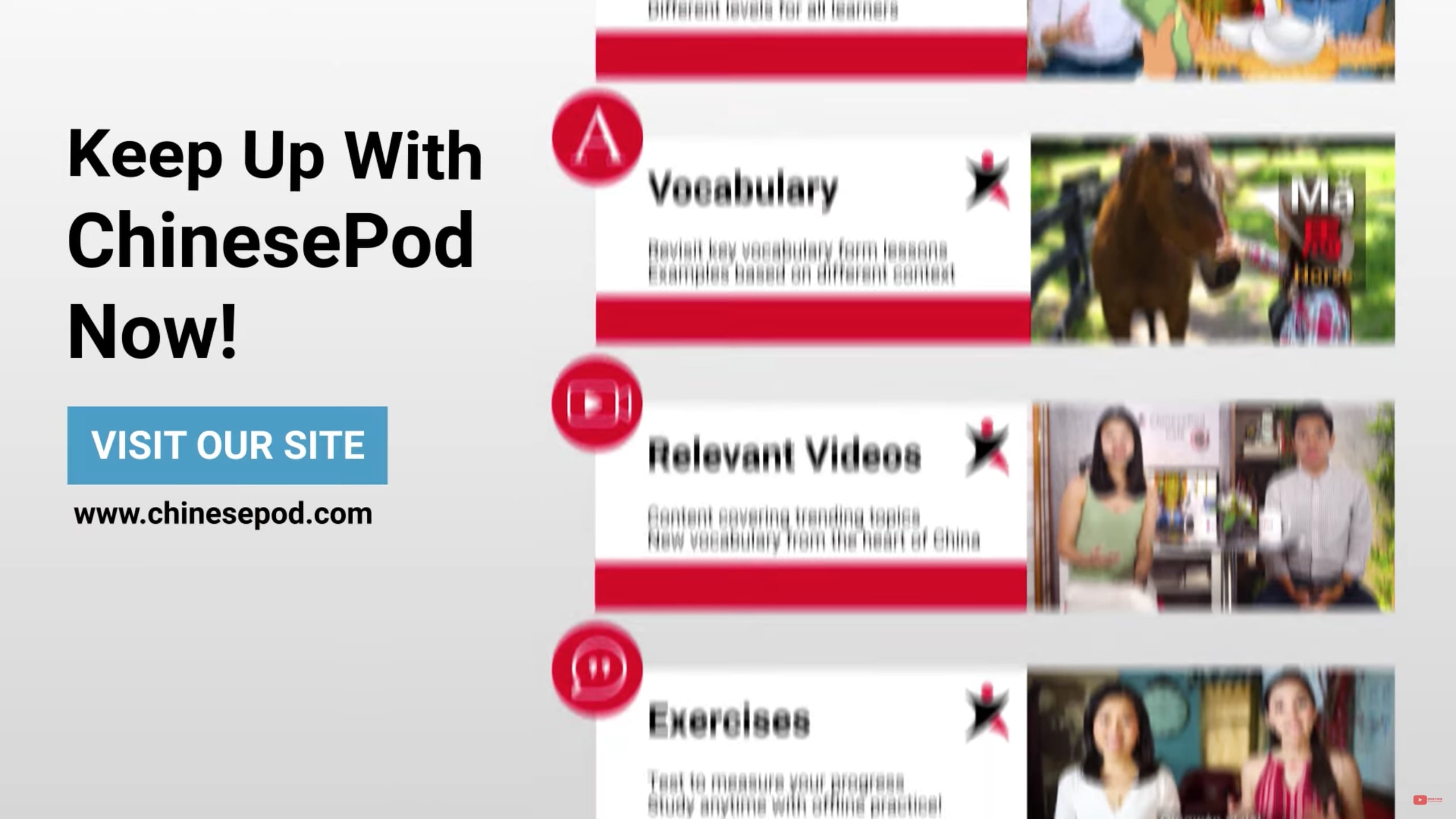
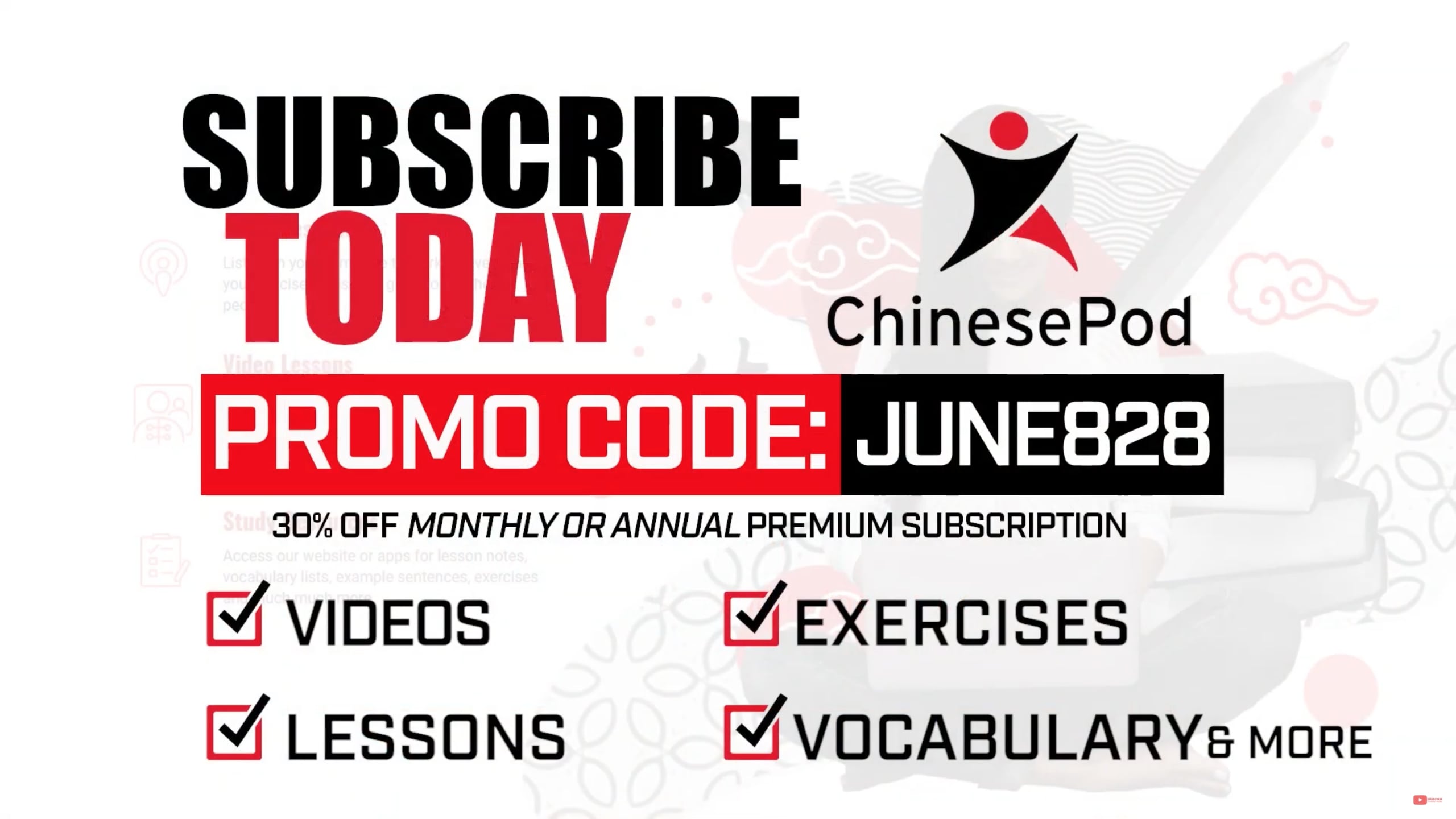
The outro video contains a Call to Action message - “Visit website url “, “Subscribe Today”, “Promo codes (if available)”. The generic Adobe Express file format can be downloaded here. This can be revised accordingly. Please ask the project manager what message will be displayed for the project.
File Naming:
The naming convention should be as follows:
Lesson Slides:
4312.slide1.0000.sl.jpg
4312.intro.0000.sl.jpg
4312.ad1.0020.sl.jpg
4312.outro.0620.sl.jpg
Where:
4312 = Lesson Number
slide1 = slide no. / description
0000 = timestamp where the slide will be displayed following the mmss e.g. 07:03 mins = 0703
sl = simplified landscape (alternatively tl = traditional landscape)
Audio & Video files format
4312.upperintermediate.surprisedsurprisingsurprise.freepodcast.simp.wav
4312.upperintermediate.surprisedsurprisingsurprise.podcastflashcard.simp.mp4
Where:
4312 = Lesson Number
upperintermediate = Lesson Level
surprisedsurprisingsurprise = Lesson name (all small letters, no space, no punctiuations)
freepodcast/podcastflashcard = type of file
simp = format (simplified or trad for traditional)
Resources:
ChinesePod Brand Guidelines – http://www.chinesepod.com/brand-guidelines
Logos & Font Files Downloads - https://www.chinesepod.com/logo
Lessons & Learning Materials - http://www.chinesepod.com
Podcast files: https://soundcloud.com/chinesepod
Reference Samples:
Intro : https://youtu.be/W-xQa11u1pw
Outro: https://youtu.be/21IuHVetwSs
Podcast Only: Surprised, Surprising, Surprise | Upper Intermediate
Webpage: http://www.chinesepod.com/4312
Simplified version: https://youtu.be/3WpdN0MVf8g
Traditional version: https://youtu.be/_08QsWsOMJg
Tab B
Lorem Ipsum is simply dummy text of the printing and typesetting industry. Lorem Ipsum has been the industry's standard dummy text ever since the 1500s, when an unknown printer took a galley of type and scrambled it to make a type specimen book.
Tab C
Lorem Ipsum is simply dummy text of the printing and typesetting industry. Lorem Ipsum has been the industry's standard dummy text ever since the 1500s, when an unknown printer took a galley of type and scrambled it to make a type specimen book.
Tab D
Lorem Ipsum is simply dummy text of the printing and typesetting industry. Lorem Ipsum has been the industry's standard dummy text ever since the 1500s, when an unknown printer took a galley of type and scrambled it to make a type specimen book.